
You have probably heard of ChatGPT, Google Gemini, or AI tools that can create images from a simple text description. Perhaps you have even used one of these tools to write an email, understand a difficult topic, or find ideas for a project.
But have you ever wondered how these tools actually work?
What is Generative AI, and why is it becoming so useful in our daily lives?
Generative AI is one of the most interesting developments in modern technology. It helps people create content, explore ideas, solve problems, and complete certain tasks more efficiently. You do not need to be a programmer or a technology expert to understand it.
In this beginner-friendly guide, we will explain the generative AI meaning, how it works, its practical examples, common uses, and the advantages and disadvantages you should know before using it.
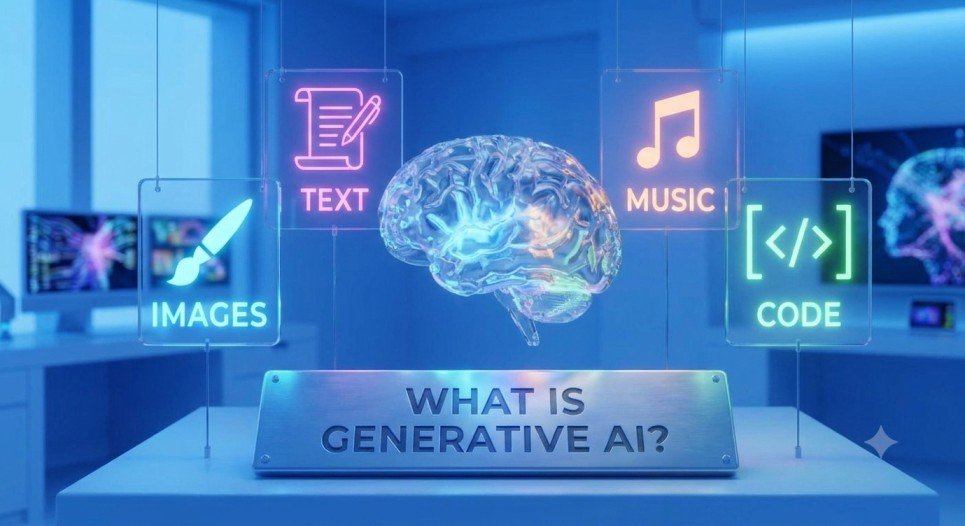
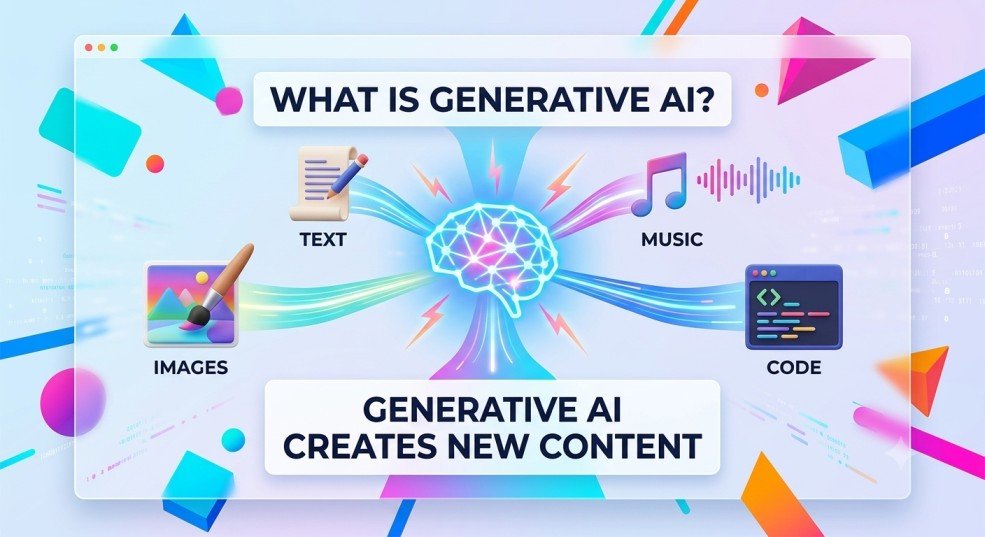
This content may include:
- Text, such as articles, emails, and summaries
- Images, illustrations, and designs
- Computer code and website components
- Audio, music, and speech
- Video and other digital content
For example, imagine you need to write a professional email but are not sure how to begin. You can describe the situation to an AI tool, and it may generate a draft that you can edit and send.
Similarly, you can describe an image you have in mind, and an AI image generator can create a visual based on your description.
That is the basic idea behind generative AI: you provide instructions, and the system produces an output based on what it has learned.
However, generating content does not mean that the AI thinks, feels, or understands the world exactly as a human does. Its abilities and limitations are different from ours.
What Is the Meaning of Generative AI in Simple Words?
Think of generative AI as a computer assistant that has learned patterns from large amounts of information and can use those patterns to produce something new.
For example, suppose you ask an AI tool: “Explain photosynthesis to a 10-year-old student using simple words.”
The tool can create an explanation that matches your request. You can then ask it to make the explanation shorter, add an example, or turn it into five quiz questions.
You are not limited to asking for information. You can also ask the tool to transform, organize, or generate content in different formats.
This is an important difference between many traditional AI systems and generative AI. Some AI systems classify information or make predictions, while generative AI focuses on producing new outputs.
How Does Generative AI Work?
You do not need advanced technical knowledge to understand how generative AI works. The process can be explained in three basic steps.
1. Learning From Data
During training, a model processes large amounts of data, depending on the type of content it is designed to generate. This may include text, images, code, audio, or other material.
The model learns statistical patterns and relationships in that data. A language model, for example, learns relationships between words and the way sentences are commonly structured.
2. Understanding Your Prompt
A prompt is the instruction or question you give to an AI tool.
For example, you might write:
“Create a simple study timetable for a college student who has two hours to study every evening.”
The AI processes your instruction and uses the available context to determine what kind of response is relevant.
Generally, more specific instructions help you get a more useful result.
3. Generating an Output
The model uses the patterns it has learned to generate a response. A text model may predict the next token (a small unit of text) repeatedly to produce a complete answer. Image-generation models use different methods to create visuals.
The result might be a timetable, an article outline, an image, or a piece of code.
Remember that the output is not automatically correct. The AI can generate convincing answers that contain mistakes, so important information should always be checked.
Generative AI Examples You Can Understand Easily
You may already be using generative AI without realizing how many different tasks it can handle.
Here are some practical examples.
1. Creating Written Content
Tools such as ChatGPT and Google Gemini can help draft emails, summarize notes, explain concepts, brainstorm ideas, and prepare outlines.
For example, a student could ask for a simple explanation of a science topic before revising it for an exam.
The student should still check the facts and learn the material rather than simply copying the response.
2. Generating Images
AI image generators can turn written descriptions into visuals.
For example, you could describe a modern workspace with a laptop, a notebook, and natural lighting. An image-generation tool can use that description to produce a visual.
This can be helpful for designers, content creators, and bloggers who need illustrations or creative concepts. Always check the tool’s terms and the permitted uses of generated images before publishing them.
3. Helping With Coding
Generative AI can suggest code, explain programming errors, and help beginners understand how a website feature might work.
For instance, a WordPress beginner could ask for an explanation of a CSS rule or request a simple code example for adjusting the spacing around a heading.
However, generated code needs to be reviewed and tested. Incorrect code can break a website or create security problems.
4. Working With Audio and Video
Some generative AI tools can produce speech, assist with audio editing, create video clips, or help prepare scripts for videos.
A content creator might use AI to draft a YouTube script and then record the narration, check the information, and edit the final video.
These examples show that generative AI is not limited to chatbots or text generation. Its capabilities depend on the particular model and tool.
What Is Generative AI Used For?
The uses of generative AI extend across education, blogging, business, software development, and everyday activities.
For students: It can simplify difficult concepts, create practice questions, summarize study notes, and help organize revision plans. Students should follow their institution’s rules on AI use and complete their own learning.
For bloggers and content creators: It can help brainstorm article topics, develop outlines, suggest headlines, improve grammar, and prepare image concepts. Writers should add original insight, verify information, and edit the final content carefully.
For small businesses: It can assist with drafting product descriptions, writing customer emails, preparing marketing ideas, and creating social media captions.
For developers: It can explain code, suggest solutions to common programming problems, and help create initial code drafts that developers can review.
For everyday tasks: It can help organize a weekly schedule, draft a polite message, plan a meal, or explain an unfamiliar subject.
The most useful approach is to treat generative AI as an assistant. It can help you get started, but your own judgment is still important.
Advantages and Disadvantages of Generative AI
Generative AI can save time and support creativity, but it also has limitations. Understanding both sides helps you use it more responsibly.
Advantages of Generative AI
- Saves time: AI can produce an initial draft, summary, or list of ideas in less time than starting from scratch.
- Supports creativity: It can suggest different approaches when you are struggling to find ideas for a project or article.
- Helps with learning: Beginners can ask follow-up questions and request explanations at different levels of difficulty.
- Assists with repetitive tasks: Drafting routine messages, organizing information, and preparing basic content can become easier with AI assistance.
- Makes experimentation easier: People can explore ideas, test simple code, or develop early creative concepts without needing to start with a blank page.
Disadvantages of Generative AI
- It can produce incorrect information: AI-generated answers may sound confident even when they contain factual errors. Verify important claims using reliable sources.
- It may reflect bias: The information and patterns learned during training can influence its outputs, sometimes resulting in unfair or misleading responses.
- Privacy needs attention: Avoid entering passwords, financial details, confidential business information, or personal data into AI tools unless you understand the service’s data-handling practices and have permission to share that information.
- Copyright and originality can be complicated: AI-generated content is not automatically free of copyright concerns or guaranteed to be original. Review the relevant tool’s terms and check any material you publish.
- It cannot replace human judgment: Important decisions involving health, finances, law, or safety require appropriate expertise and reliable evidence.
The main lesson is simple: use AI to support your work, but do not trust every generated answer without checking it.
How to Get Better Results From Generative AI
One of the easiest ways to improve your results is to write clearer prompts.
Compare these two instructions:
Vague prompt: “Write about technology.”
More useful prompt: “Write a beginner-friendly, 500-word introduction to artificial intelligence for college students. Use simple English, include three everyday examples, and explain any technical terms.”
The second prompt gives the AI a clearer task, audience, length, tone, and structure.
When writing a prompt, try to include four things:
- Task: What do you want the AI to do?
- Context: What information does it need?
- Audience: Who will read or use the result?
- Format: Do you want a list, table, explanation, email, or article?
After receiving the response, review it, correct mistakes, and ask follow-up questions when necessary.
For bloggers, this approach is especially useful. Instead of publishing an AI-generated article without review, use AI to assist with research and outlining, then add verified information, relevant examples, and your own editorial judgment.
Frequently Asked Questions
Yes. ChatGPT is a generative AI assistant that can produce text and help with tasks such as explanations, brainstorming, summarization, and coding. Its capabilities depend on the model and features available.
No. Artificial intelligence is the broader field. Generative AI is a category of AI designed to create content, including text, images, audio, and code. Other AI systems may focus on tasks such as classification, detection, or prediction.
Yes. It can produce inaccurate information, misunderstand instructions, or invent details. Check important facts against trustworthy sources, particularly when the answer could affect an important decision.
No. Many generative AI tools accept everyday language as instructions. You can start by asking questions, requesting explanations, or describing the task you want to complete.
Generative AI can support creative work by producing ideas and drafts, but human experience, judgment, taste, and knowledge remain important. How AI affects particular jobs will vary by role, industry, and how the technology is used.
Generative AI is changing how people create content, learn new skills, and approach everyday tasks. Understanding what it can do—and where it can go wrong—is more valuable than simply knowing the names of popular AI tools.
Start with a small task, such as summarizing your notes, improving an email, or brainstorming ideas for a project. Review the result, check important facts, and learn how better instructions improve the output.
When used thoughtfully, generative AI can be a helpful addition to your workflow rather than a replacement for your own skills and judgment.
At DIGIOFRZ, our goal is to explain technology in simple, practical language so beginners can understand it and make informed decisions.
